Search results for: “kaz”

  • KAZ Type’s SEN/Dyslexia Typing Software receives recognition by judges at the BETT Educational Show, London
    KAZ Type’s SEN/Dyslexia Typing Software

    KAZ Type Limited’s SEN/Dyslexia Typing Software (also known as their Neurodiverse Edition) was shortlisted as a BETT Awards 2019 Finalist for the Special Educational Needs Solutions Sector. The aim of the award was to reward products that make a distinct contribution to supporting learners with special educational needs.

    With regard to dyslexia, the judges were highly impressed with how the program and the skill of touch typing helped with the following challenges:

    Visual Disturbances

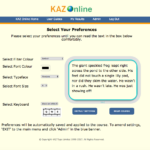
    KAZ’s unique preference screen helps address visual disturbances by offering the user a selection of preferences to choose from. Once chosen, their preferences are ‘saved’ and applied throughout the course – tailor making it to each individual for optimum visibility comfort.

    Cognitive Limitations

    KAZ’s multi-sensory ‘accelerated learning’ teaching method, enables students to learn using more than one sense (sight, sound and touch). With this method, information is more likely to be remembered and retained. Students can hone in on their most comfortable and preferred style of learning (visual, auditory or tactile pathways). If the teaching method closely matches the student’s preferred way of learning, learning becomes more natural, making learning easier and in turn faster – ‘accelerated learning’.

    Difficulties with spelling

    With KAZ’s unique accelerated learning teaching method incorporating ‘muscle memory’, spelling and vocabulary are engrained to memory, as spellings become a series of finger movements and patterns on a keyboard, dramatically reducing the likelihood of transposing and misspelling words. Additionally, the program uses only ‘real words’ and repetition of typing these words helps train students to recognise them by sight, saving the decoding process that often causes trouble when reading. Spell checkers also highlight mistakes and offer alternatives.

    Poor and messy handwriting – (this can lead to embarrassment, frustration and anxiety).

    Teaching typing skills eliminates the need for neat handwriting, as touch typing automatizes the translation of thoughts and ideas into written language. Additionally, errors can be

    easily edited without messy crossings out, resulting in neat and presentable work – automatically boosting confidence and self-esteem.

    Slow work rate – (due to poor penmanship).

    Quick and accurate typing can reduce the amount of time spent on a piece of work, and often increases the amount of work produced. Additionally, when typing efficiently, without even thinking about it (subconsciously) –the  individual’s ‘conscious’ mind can concentrate on the question at hand, concentrate on creative writing but most importantly, type quickly enough to finish their paper.

    Poor Working Memory

    The KAZ course is presented in a structured and light hearted manner and has been designed NOT to overload the working memory. The program is broken down into short modules in order to hold focus and concentration and allows the student to work at their own pace. Additionally, they are allowed to return to previous modules at any time should they wish to refresh. Working at a computer allows students to work in a non-linear fashion, where they can process their thoughts first and structure them later.

    KAZ were thrilled to be shortlisted as a finalist, as the recognition of the product from such a recognised organisation within the education sector and the publicity has greatly helped with the awareness of the product – which is now helping the masses, who continually send them testimonials on how their software has helped them.

    ‘Thank You UK for caring and investing in tools for Dyslexia. You have helped me make a break through!’ K.Hamerski – US

    ‘Thanks for letting me trial KAZ which I found surprisingly easy and I am touch typing this email!  I need to speed up a lot but only practice will do that!’ Kate Ireland – Learning Support – City of London School

    ‘Honestly, your method is like magic. I sent your website to other friends with dyslexic kids and another adult friend who never learned to touch type. Thank you so much for you method. I feel so lucky to have discovered KAZ. I love typing now.’ Rachel Rosenthal – US

    ‘We loved the ability to customize your screen display to ensure you can read comfortably, and the typing and demo areas on the screen are clear and easy to use.’ The School Run magazine Review

    https://kaz-type.com/dyslexia-edition.aspx

  • KAZ – SEN/Dyslexia Typing Software

    If individuals with dyslexia are equipped with the correct tools, they stand a far greater chance of reaching their full potential.

    Trials and feedback from special needs teachers across the world have proven that touch typing and using a computer are formidable and even life changing tool that opens doors for individuals with dyslexia, as it presents a new and powerful medium for learning and communicating – introducing them to a new accessible academic world they can cope in and even excel in!

    The disturbances experienced by dyslexics makes writing and producing a piece of work extremely challenging. The level of concentration and effort involved can be exhausting and can affect the overall structure and quality of a piece of work.

    The skill of typing can help eliminate many of these challenges and frustrations and early acquisition familiarises users with the keyboard, allowing them to fully appreciate the tools available to them through typing and using a computer.

    When typing:

    • The need for neat handwriting is no longer a priority.
    • Errors can be easily edited/corrected without messy crossings out, resulting in neat and presentable work.
    • Spell checkers highlight mistakes and offer alternatives.
    • Reassurance with the above automatically boosts confidence – promoting experimentation with vocabulary and spelling and allows concentration to be focused on content.
    • Quick and accurate typing can reduce the amount of time spent on a piece of work and often increases the amount of work produced.
    • Physical dexterity is enhanced, helping handwriting skills.
    • Reading, spelling and vocabulary are engrained to memory – with ‘muscle memory’, spellings become a series of finger movements and patterns on a keyboard, reducing the likelihood of transposing or misspelling words.
    • The working memory is not overloaded. Students can work at their own pace in a non-linear fashion, where they can process their thoughts first and structure them later.

    KAZ’s NEW SEN/Dyslexia typing software was developed with advice and guidance from the British Dyslexia Research Trust.

    Incorporating a multi-sensory approach throughout and available with US and UK accents and keyboards, it teaches typing skills whilst minimizing disturbances related to visual stress, by means of a unique ‘Preference Screen’ – tailor making the course to individual’s needs.

    Preferences include:-

    • A choice of coloured background/filter screens – for reducing white screen glare.
    • A choice of 2 specific research based background/filter colours – for steading letter movement and blurring.
    • A choice of dyslexic friendly typefaces – for ease of reading.
    • A choice of font colour – for contrast from background screen colour.
    • A choice of font size – for optimum visibility comfort and to minimize fusing and crowding of letters.
    • A choice of Keyboard – for optimum visibility comfort.

    Once the user has selected their preferences and can read the sample text comfortably, these options are applied throughout the course, ensuring the learning experience is a comfortable and enjoyable one. No other typing tutor works in this way.

    The program uses a unique and proven ‘accelerated learning’ teaching method. Incorporating both ‘muscle memory’ and ‘brain balance’, it engages the major senses of sight, sound and touch simultaneously, radically enhancing memory retention and recall – which is why it is so effective.

    Using specific combinations and progressions of just 11 words in 5 scientifically structured phrases, the method trains the fingers on both hands to work symmetrically and simultaneously – a direct result of both hemispheres of the brain working at the same time – ‘brain balance’.

    With repetition, reading, spelling and vocabulary are engrained to memory and with ‘muscle memory’ spellings become a series of finger movements and patterns on a keyboard, reducing the likelihood of transposing and misspelling words.

    The Course is presented in a structured but light hearted manner to make learning fun and enjoyable. It solely focuses on teaching typing and does not include gaming or try to teach typing with other subjects, as research has proven that this splits concentration and may overload the ‘working memory’.

    The program offers both spoken and written instruction and includes ‘speaking keys’ covering the a-z keys. It is delivered in 5 short modules, in order to hold interest and concentration and once again, avoid over loading the working memory. The student is allowed to progress at their own pace, acquiring the skill and gaining speed and accuracy without even realising it. Additionally, a visual of the keyboard is always on the screen, encouraging the user to look up at the screen and not down at their fingers (so there is no need to cover hands or keyboard).

    The combination of KAZ’s unique ‘Preference Screen’ and its proven accelerated learning teaching method delivers a simple, yet dynamic course.

    The software is suitable for ages 6+ and is available in ‘Junior’, ‘Adult’ and ‘Corporate’, editions  – Online, as a Download or via SCORM for LMS.

    Since launch it has received wonderful reviews and is now promoted by the British Dyslexia Association and many SEN resellers across the world.

    www.kaz-type.com