Category: Apps/Accessories

  • ChatGPT-5.2: Artificial Intelligence Revolutionizes Communication – Practical Examples

    ChatGPT-5.2: Artificial Intelligence Revolutionizes Communication – Practical Examples

    In the rapidly growing world of Artificial Intelligence (AI), ChatGPT-5.2, the latest generation of OpenAI’s revolutionary text-processing model, has set new standards. Its ability to generate human-like text and interact naturally has transformed the way we communicate with technology.

    In this blog post, we take a look at the impressive capabilities of ChatGPT-5.2 and present two practical examples that demonstrate how this AI can be used for advising parents on dyslexia as well as for creating creative game ideas to improve visual memory.

    Discover how ChatGPT-5.2 is revolutionizing communication and how you can use this powerful technology for your own purposes.

    Example 1

    Question for ChatGPT-5.2: Parents are with a Certified Dyslexia Trainer who wants to educate them about their child. Dr. Kopp-Duller’s definition is used as a guideline.

    Answer from ChatGPT-5.2: Certified Dyslexia Trainer: Good day, dear parents. I understand that you are concerned about your child and want to learn more about dyslexia. Let me first explain Dr. Kopp-Duller’s definition, which serves as a guideline for our work.

    A person with dyslexia has average or even above-average intelligence, but they perceive their environment differently than people without dyslexia. When dyslexic people encounter letters or numbers, their attention diminishes as they process these elements differently due to their different perception.

    This means that your child may have difficulty learning to read, write, and do arithmetic, although they may be gifted in other areas. It is important to emphasize that dyslexia is not a reduction in intelligence and that your child can successfully learn with the right support and encouragement.

    In our work as dyslexia trainers, we focus on meeting the individual needs of your child. We use special techniques and strategies tailored to the specific challenges of dyslexia. Our goal is to help your child improve their reading, writing, and arithmetic skills, build their self-confidence, and fully realize their potential.

    If you have any further questions or would like more information, please feel free to ask.

    Example 2

    Question to ChatGPT-5.2: Invent or name three simple games to improve visual memory.

    Answer from ChatGPT-5.2: Here are three simple games that can improve visual memory:

    Memory game: Place several pairs of cards or images face down on the table. Players must take turns turning over two cards and try to find matching pairs. The game trains visual memory by encouraging players to memorize the position of the cards and the associated images.

    Picture puzzle: Show your child a detailed picture for a certain amount of time (e.g., 30 seconds) and then remove it. Your child must remember as many details as possible and describe or record them. You can increase the difficulty level by shortening the time or using more complex images.

    Kim’s game: Place several objects on a tray and let your child look at them for a minute. Then cover the objects and ask your child to list as many of the items as possible from memory. You can increase the difficulty by increasing the number of objects or shortening the viewing time.

    All these games can be easily adapted to your child’s age and abilities and help to promote visual memory in a playful way.
  • Challenge Your Observation Skills: Spot the 10 Differences!

    Challenge Your Observation Skills: Spot the 10 Differences!

    Written by Office ADA Games/Activities, Dyslexia, Visual Perception Training

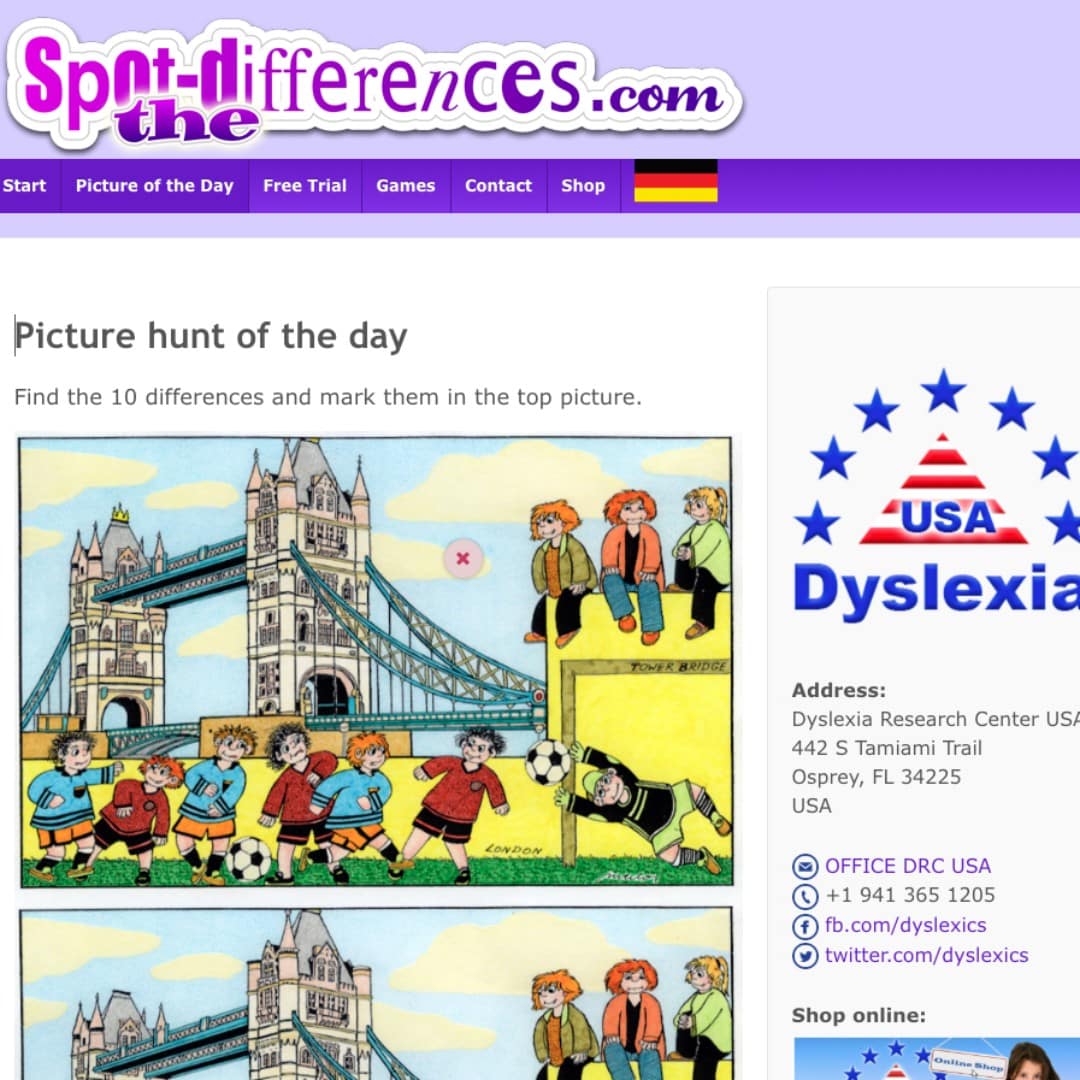
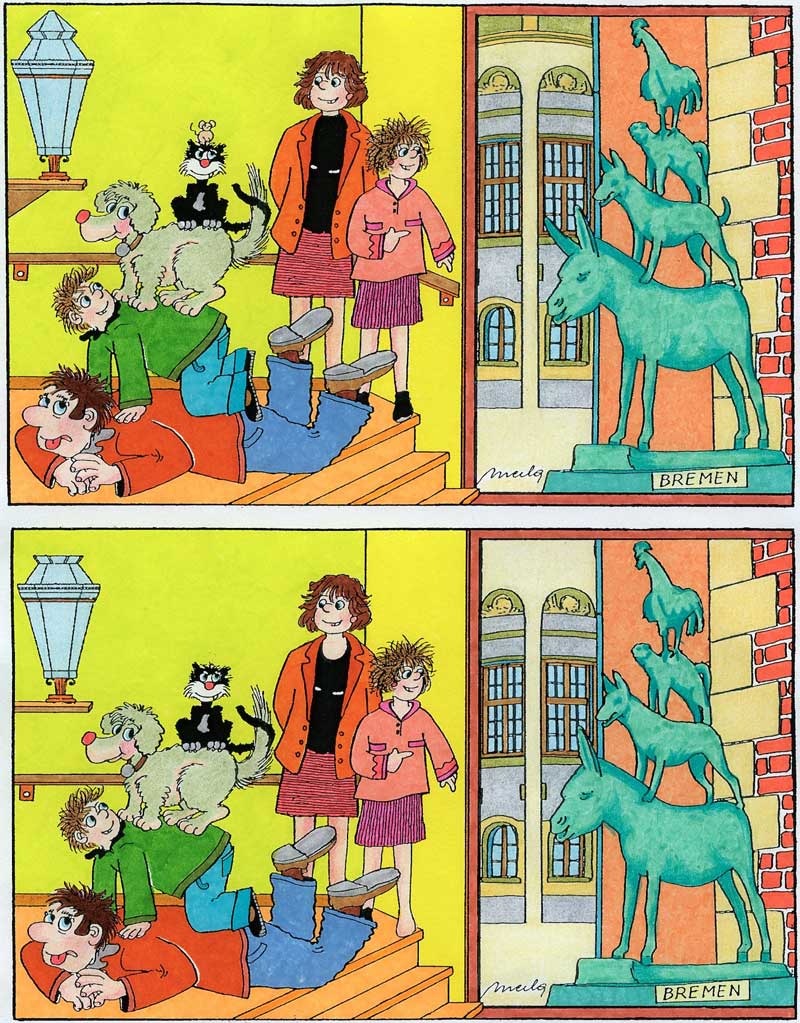
    Are you ready to put your observation skills to the test? Our popular “Spot the Differences” puzzles offer a fun and engaging way to sharpen visual perception—one picture at a time!

    How It Works

    Each puzzle presents you with two seemingly identical illustrations. Your mission: find the 10 differences between them! Simply compare the images and mark what’s missing in the lower picture.

    What makes our puzzles special:

    • A new picture every day – Fresh challenges keep things exciting
    • No timers, no pressure – Work at your own pace and enjoy the process
    • Flexible formats – Solve online in your browser, or download as a PDF for printing
    • Solutions included – Download with or without the answer key

    Why Spot the Differences Is Essential for Dyslexic Children

    For children with dyslexia, “Spot the Differences” isn’t just a game—it’s valuable training for the brain. Here’s why these puzzles are particularly beneficial:

    Strengthens Visual Perception Many dyslexic children experience differences in how they perceive visual information. Regularly practicing with these puzzles helps train the eyes and brain to notice subtle details—a skill that directly transfers to distinguishing between similar letters like b/d, p/q, or m/n.

    Improves Focused Attention According to the AFS-Method, attention is one of the three key areas to address in dyslexia training. Spot the Differences puzzles naturally encourage sustained focus and concentration as children systematically scan and compare images.

    Develops Visual Memory To find differences, children must hold visual information in their working memory while comparing it to what they see. This strengthens the same cognitive processes needed for reading and spelling.

    Builds Confidence Through Success With no time pressure and achievable goals, children experience the satisfaction of completing each puzzle. This positive reinforcement builds self-esteem—something many dyslexic children need after struggling in traditional academic settings.

    Trains Systematic Scanning Children learn to examine images methodically, moving from left to right and top to bottom. This organized visual scanning approach supports better reading habits and reduces the tendency to skip words or lines.

    Fun Without Frustration Unlike traditional worksheets that may trigger anxiety, these colorful puzzles feel like play. When learning feels like fun, children stay engaged longer and retain more.

    Get Started Today!

    Free Trial: Try 10 puzzles completely free to see if your child enjoys them.

    Lifetime Access: For just a one-time fee of $5, unlock ALL 250+ Spot the Differences puzzles—forever! Use them online anytime, or download for offline use and printing.

    👉 Get Lifetime Access Now

    Whether you’re a parent looking for engaging activities, a teacher seeking classroom resources, or a Certified Dyslexia Trainer building your toolkit—these puzzles are a valuable addition to any visual perception training program.

    Questions? Feel free to reach out—we’re happy to help!

    https://www.spot-differences.com/

  • Middle School Writing Unleashed: Explore “World of Words” by Lisa R. Hassler

    Middle School Writing Unleashed: Explore “World of Words” by Lisa R. Hassler

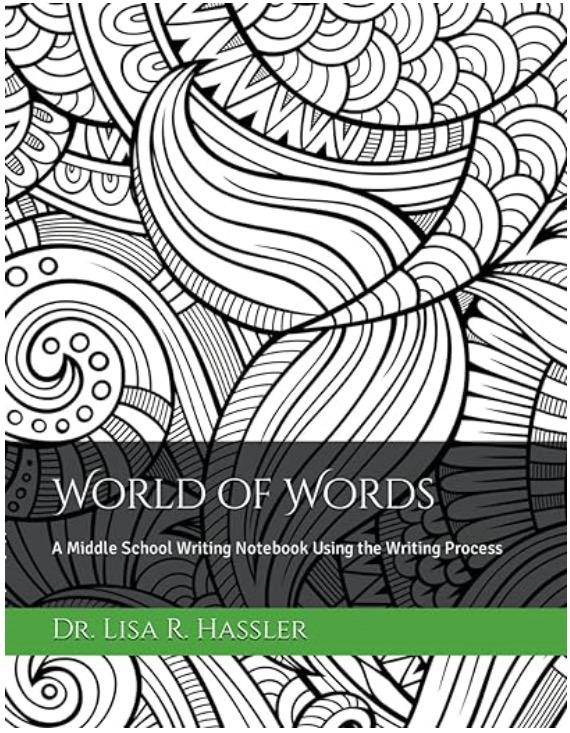
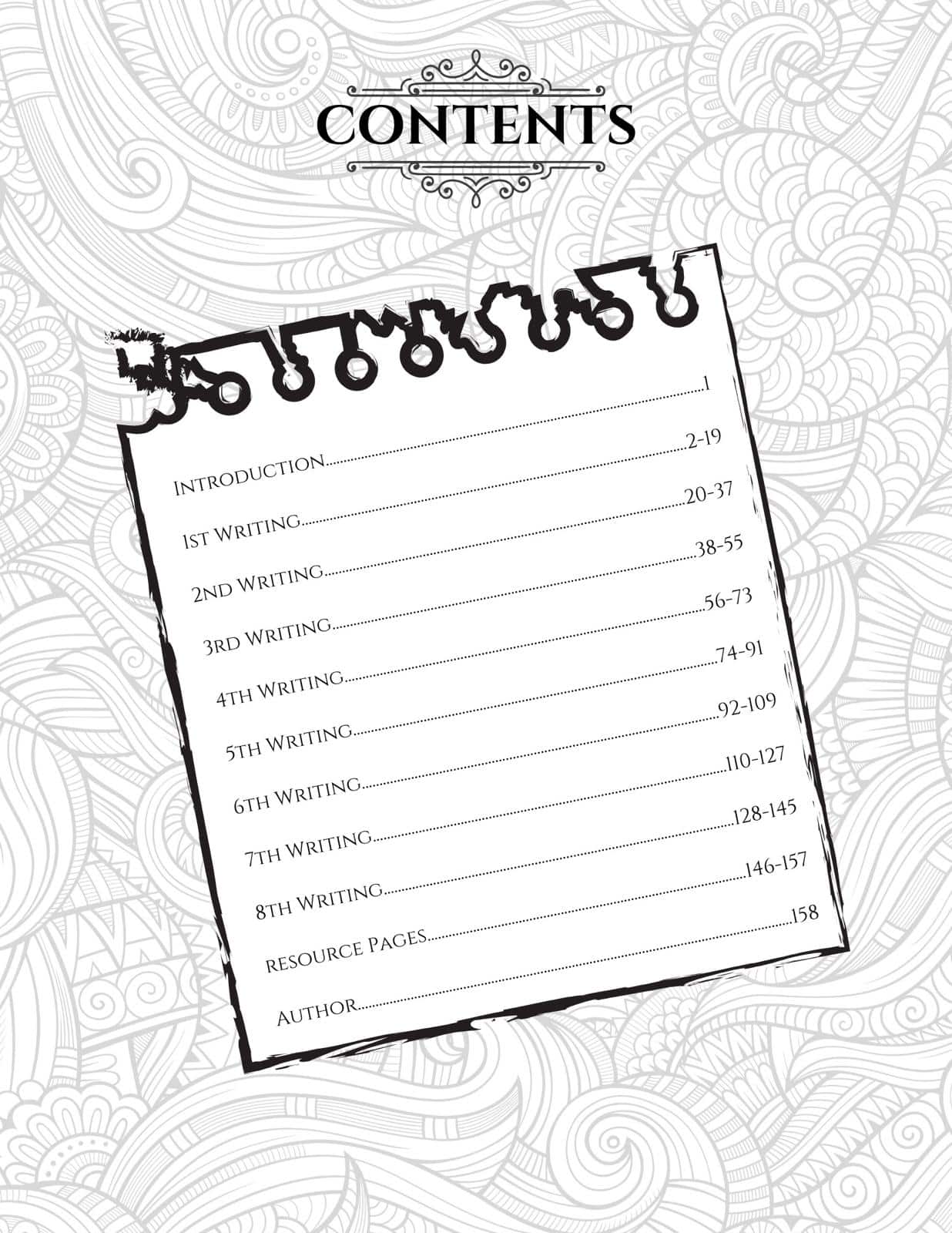
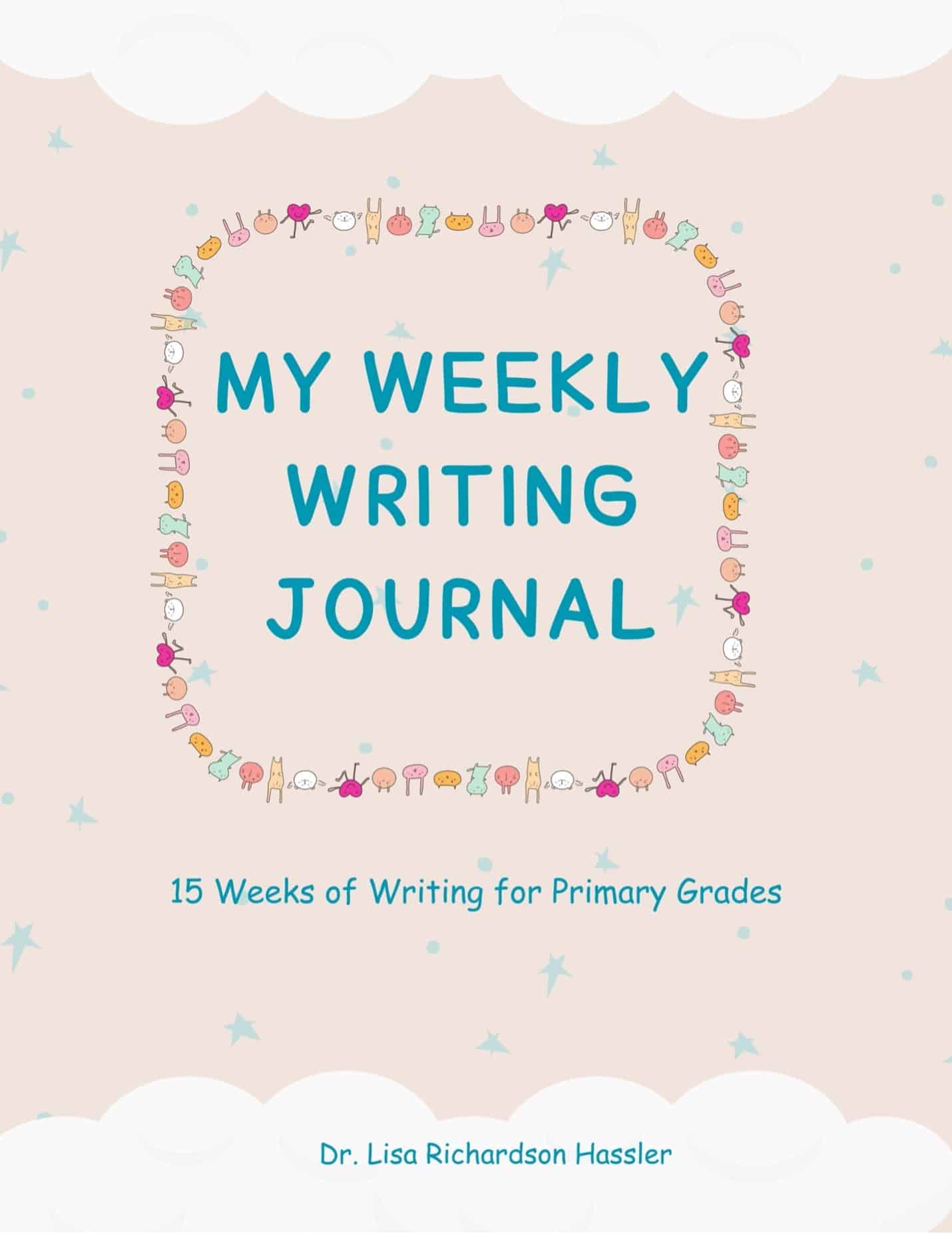
    Introduction: In a world where writing skills are essential, Dr. Lisa Hassler presents “World of Words: A Middle School Writing Notebook Using the Writing Process.” Designed for 4th-6th grade students, this innovative notebook draws upon Dr. Hassler’s extensive experience in education and writing. It serves as the perfect companion to her primary writing journal. “My Weekly Writing Journal: 15 Weeks of Writing for Primary Grades.” With captivating designs and hidden surprises waiting to be discovered, students are immediately drawn to the pages, eager to explore.

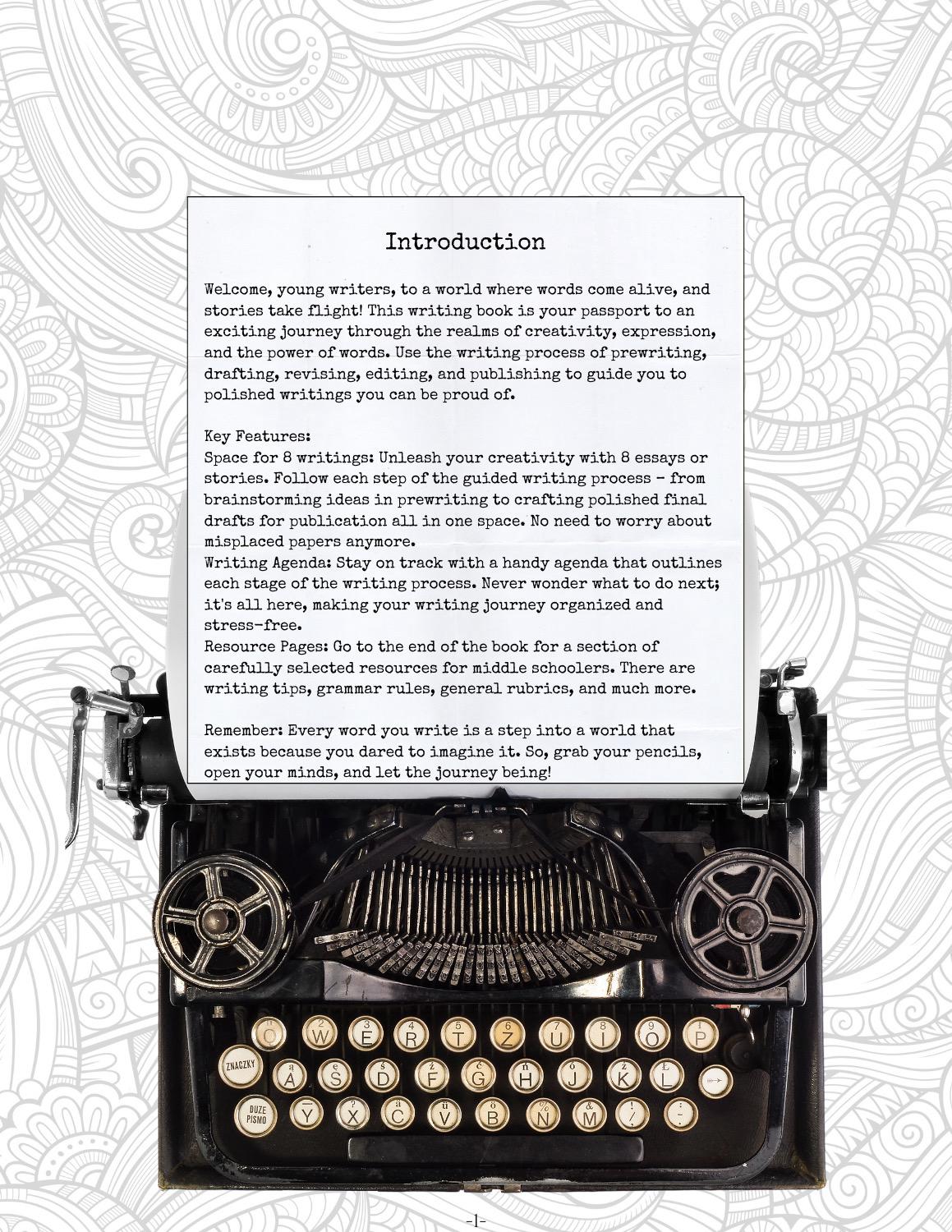
    Using the Writing Process: “World of Words” takes young writers on a structured journey through the writing process. This comprehensive notebook includes several key components, each designed to support and nurture young writers:

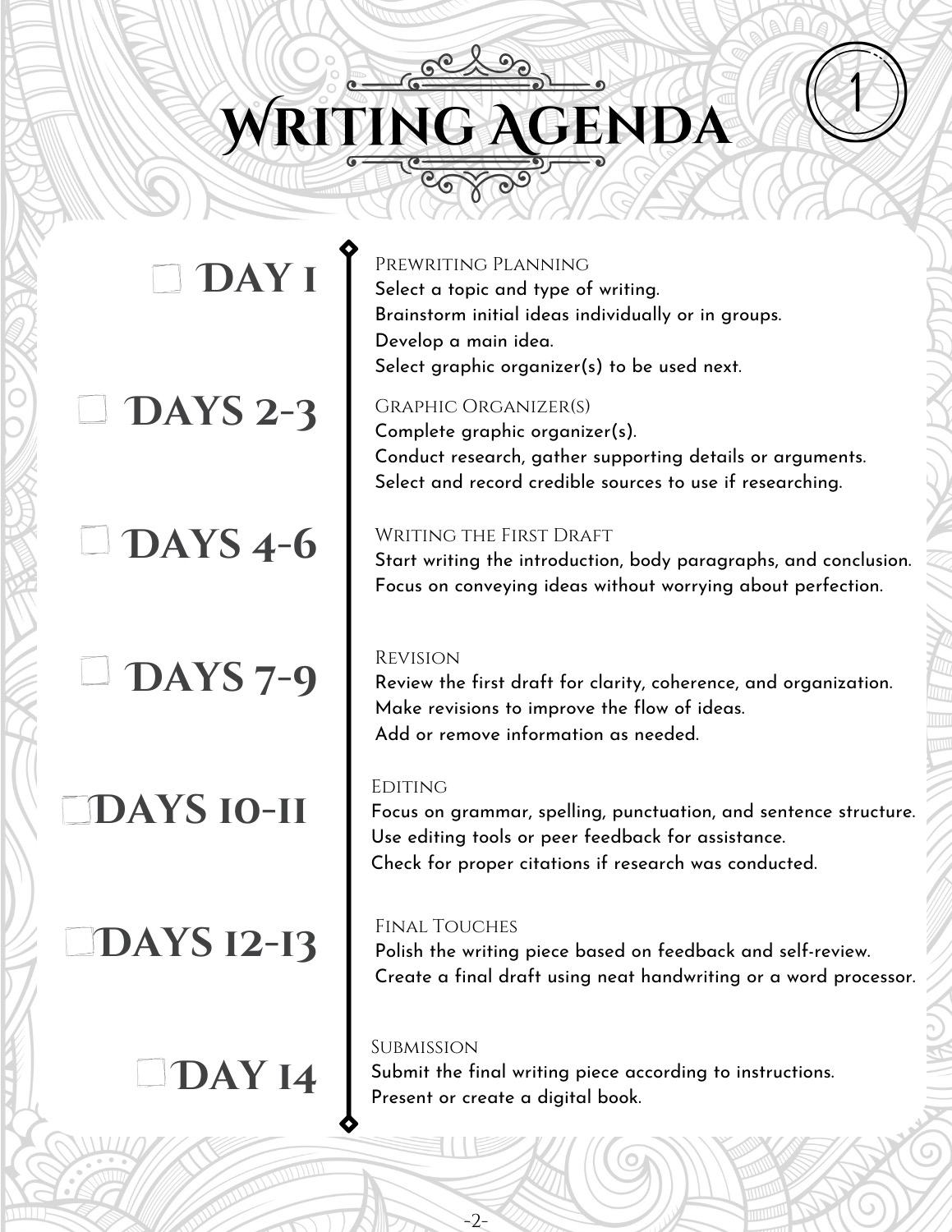
    1. The Writing Agenda: At the heart of “World of Words” is a meticulously structured writing agenda, spanning 14 days. This agenda helps students set goals, track their progress, and stay organized throughout their writing journey.
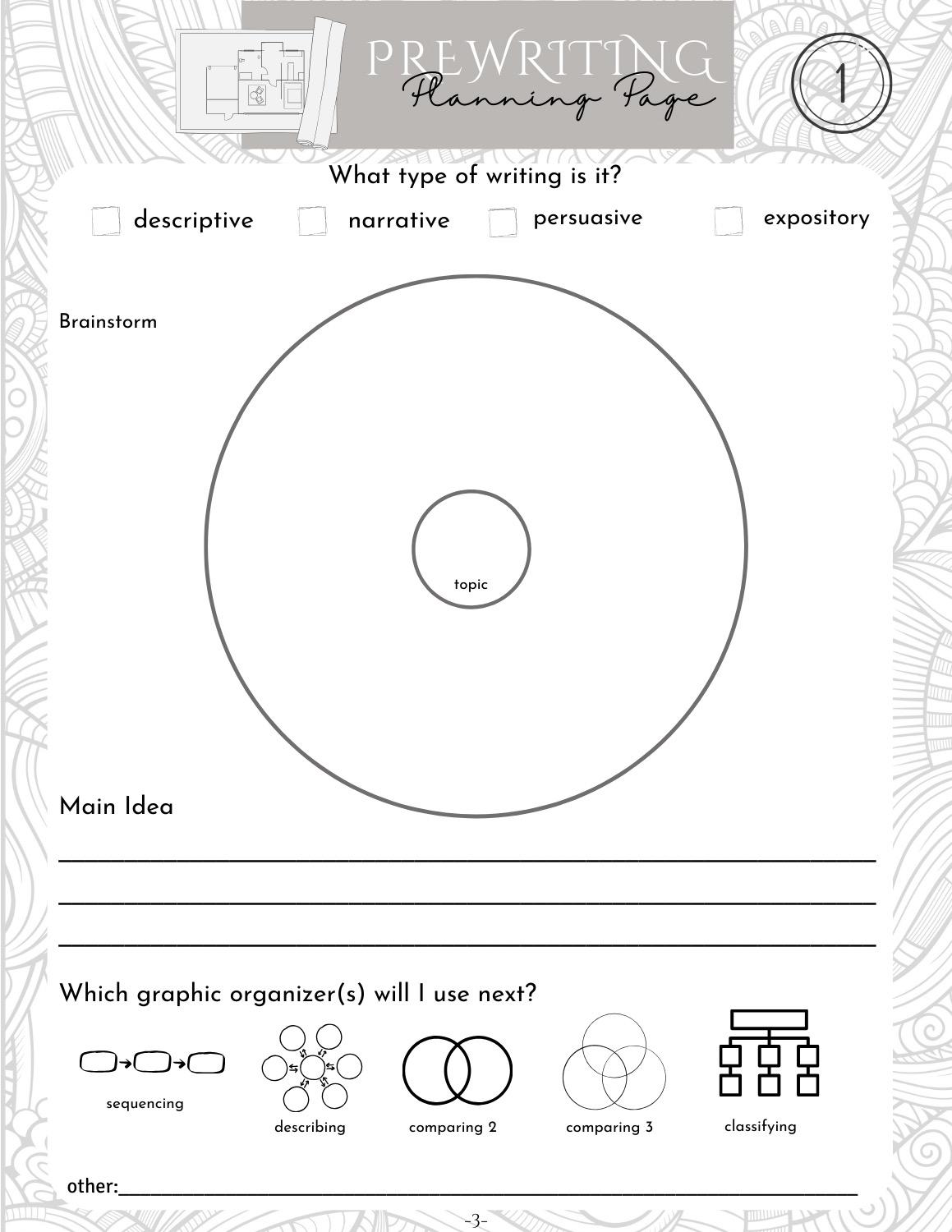
    2. Prewriting Planning Page: Before diving into writing, students engage in prewriting planning. This section provides prompts and exercises to spark creativity, helping students generate ideas and select the type of writing they want to pursue.
    3. Graphic Organizer Pages: “World of Words” includes graphic organizer pages to help students organize their thoughts and structure their writing. From story maps to character sketches, these tools empower students to bring their ideas to life in a clear and coherent manner.
    4. Rough Draft: With their ideas in place, students begin the rough draft phase. “World of Words” provides ample space for students to experiment with language and embrace the creative process without fear of imperfection.
    5. Proofreading Edit Checklist & Feedback Pages: Writing is refined through the editing stage, where students are guided through the process of revising their work. This section provides prompts and tips to help students strengthen their writing and clarify their ideas.
    6. Final Copy: After revising their work, students produce their final copies. “World of Words” offers space for students to neatly transcribe their polished work, ready to be shared and celebrated.

    Take and Go Editing Marks Cut-outs: Editing is simplified with handy editing marks cut-outs, allowing students to identify and correct errors in their writing, ensuring that their final drafts are polished and professional.

    Resource Pages: Additionally, “World of Words” includes resource pages with sample rubrics for narrative, descriptive, persuasive, and expository writing. These rubrics provide clear guidelines for assessing and improving writing skills.

    With its innovative approach to writing instruction and comprehensive support for students at every stage of the writing process, “World of Words” is poised to become an indispensable resource for middle school students and educators alike. Dive into the world of words today and unleash your creativity with “World of Words” by Dr. R. Hassler!

  • My Weekly Writing Journal: Nurturing Young Writers in Grades 1st-3rd

    My Weekly Writing Journal: Nurturing Young Writers in Grades 1st-3rd

    Dr. Lisa Richardson Hassler

    Introduction

    Tired of grappling with the complexities of writing? Many students share your frustration. Fortunately, Dr. Lisa Richardson Hassler has created a solution—an all-inclusive writing tool for children called “My Weekly Writing Journal: 15 Weeks of Writing for Primary Grades.” This workbook-style journal available through Amazon, is designed with the student and teacher in mind. Engaging colors and graphics add to the content intended to simplify, support, and streamline the writing process, drawing upon the structure that Dr. Hassler successfully employed with her own first through third-grade students.

    The writing journey, as laid out in this journal, mirrors the way proficient writers work, encompassing prewriting, drafting, editing, rewriting, and finally, publishing. By embracing this systematic approach, students will find that writing can be broken down into manageable chunks, enabling them to focus on producing high-quality material.

    This creative expedition not only equips young writers with essential skills but also empowers them to express their thoughts and nurture their creativity. Seamlessly tailored to complement any Language Arts program, this journal is a convenient addition to the curriculum, requiring just 30 minutes a day. It’s the perfect companion for students in first through third grades, offering a supportive platform to embark on a rewarding writing journey.

    The Weekly Writing Adventure

    “My Weekly Writing Journal” takes young writers through a well-structured and engaging process that guides them through their literary exploration week by week. This comprehensive journal is equipped with the following components, each serving a unique purpose in nurturing young minds:

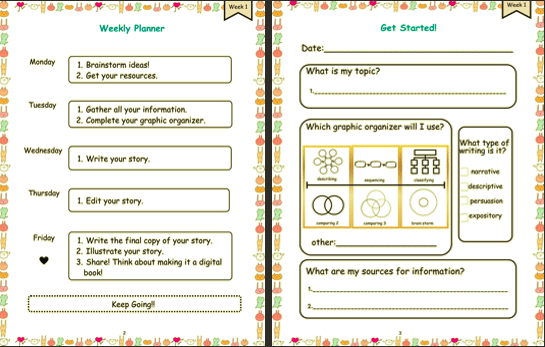
    Images from My Weekly Writing Journal: 15 weeks of Writing for Primary Grades: Weekly Organizer Page and Get Started! Page, Week 1.

    1. Weekly Organizer: At the beginning of each week, students will find a weekly organizer to plan their writing journey. This section will help them plan daily the writing process.

    2. Get Started! Page: This page provides students with essential tools and tips to prepare for their writing journey. It offers guidance on clarifying topic, type of writing, choosing a thinking map, and choosing resources.

    3. Graphic Organizer Page: The valuable space offers young writers the place to organize their information. It allows them to create visual representations of their thoughts and ideas, making the writing process more structured and coherent.

    4. Rough Draft Pages: Two rough draft pages are included for each week’s prompt. Students can use these pages to jot down their initial thoughts, ideas, and sentences as they develop their stories and compositions.

    5. Editing Checklists Page: Writing is not just about creativity; it’s also about learning to edit and revise. The editing checklists page helps students review their rough drafts and make improvements, focusing on spelling, grammar, punctuation, and other important elements of writing. It gives examples of editing marks and a place for notes.

    6. Title Page with Illustration Space: Every great piece of writing deserves an eye-catching title and an accompanying illustration. This page allows students to showcase their creativity by adding a captivating title and a related picture.

    7. Final Draft Pages: The three final draft pages give students the opportunity to present their polished work. They can neatly write out their stories, revise their illustrations, and create a clean and tidy version of their written masterpiece to share.

    Fostering a Love for Writing

    “My Weekly Writing Journal: 15 Weeks of Writing for Primary Grades” is more than just a tool for skill development; it’s a means to instill a love for writing in young learners. The structured format and interactive templates provide a step-by-step approach, instilling confidence and nurturing creativity in each student’s writing journey.

    This journal invites students to explore a wide range of writing genres, from crafting imaginative stories to describing real-life experiences and even conducting simple research projects. Regardless of the topic, “My Weekly Writing Journal” offers a safe and inspiring space for young minds to express themselves and grow as writers.

    A Journey of Self-Expression

    As students progress through the weeks of “My Weekly Writing Journal: 15 Weeks of Writing for Primary Grades,” they embark on a delightful adventure of storytelling and self-expression. Each week brings fresh opportunities to become better writers and discover the sheer joy of putting their thoughts into words.

    To extend and enrich the writing process, students are encouraged to take their writing to the next level through digital storytelling. This brings their work to life and includes skills such as presentation, using technology, and design. With this journal in hand, young learners will find their voices and develop the skills they need to become confident and capable writers.

    Conclusion

    My Weekly Writing Journal: 15 Weeks of Writing for Primary Grades,” is more than just a writing tool; it’s a gateway to creativity, self-expression, and a lifelong love for writing. Designed to cater to the unique needs of primary grade students, this journal provides a structured, engaging, and interactive platform for young writers to hone their skills and let their creativity flourish. So, gear up for an incredible journey of writing, where every week promises new opportunities to become better writers and find the joy in expressing thoughts through words. Happy writing!

  • Youdao Dictionary Scanning Pen for Dyslexia

    Youdao Dictionary Scanning Pen for Dyslexia

    Among the resources that help people with dyslexia, scanning pens can be of great help. These devices can turn scanned text into audio, making printed texts available to those with reading difficulties. One of the latest models of this assistive technology was released by Smart Youdao. Their Youdao Dictionary Pen 3 is a lightweight reading pen that reads texts aloud upon scanning. The device is portable and can be used offline, and the pen can scan multiple lines of text at once and offer a customizable reading experience.

    How does it work?

    Just grab the pen and gently press it against the surface and start scanning at a steady speed. The pen will immediately start recognizing the text and once the pen’s tip is lifted from the surface the pen will automatically read the text aloud. 

    The pen can read more than books.

    The pen’s scanner has an accuracy of up to 99.6% and can recognize different types of fonts, font colors, numbers, mathematical symbols and can be used to scan texts not only in books, but also on labels, packaging, screens, etc. The offline mode along with the scanner, helps people with literacy difficulties to overcome the challenges in school or the office, and also in daily-life situations.

    After scanning, the pen’s screen will also display the original text as well as show a button for the audio; users can press this button to repeat the audio. The user can also tap on the words that appear on the screen to listen to its individual pronunciation and to look at the definition of the word. The pen includes several dictionaries including Merriam-Webster’s and can support the English, Spanish and Chinese languages.

    Customizable reading experience.

    Youdao Dictionary Pen 3 allows the user to adjust the volume and speed of the audio, choose between UK and British accents, and change the handedness, so both right and left-handed people can use the pen without a problem.

    The audio has human-like pronunciation and can also be used with earphones; these can either be plugged into the pen or can be paired via bluetooth. 

    Additional features.

    The pen also includes features for vocabulary building, pronunciation scoring, phonics teaching and language learning. 

    Pronunciation scoring: users can improve their pronunciation by just tapping on the microphone icon after scanning a word or sentence and saying it aloud; the pen will use Artificial Intelligence to score the pronunciation. 

    Phonics teaching: this feature appears after scanning or looking up a word, and teaches users how to pronounce the word letter by letter, showing the relationship between each letter and its sound in spoken language.

    Language learning: these features are focused for the Spanish and Mandarin languages. The pen for these languages can translate, show definitions, pronunciation, bilingual example sentences, stroke order display for Chinese characters and Spanish verb conjugation for Spanish language. It will soon also support Korean and Japanese; these will be available through a free software update.

    Vocabulary building: users can mark new words or sentences for further review.

    Tech Specs 

    Youdao Dictionary Pen 3 has a sturdy and durable design, the pen has a metal shell and an ergonomic design that makes it comfortable to hold. It comes with a large speaker and a 2.97 inch high definition touch screen. It weighs only 72 grams and it’s only 14.7 cm long; smaller than a phone.

    It comes with multiple dictionaries embedded summing up to over 4 million entries, has a rechargeable battery that lasts up to 8 hours of continuous use and can be used offline.

    Where to buy it?

    The model Youdao Dictionary Pen 3 is available at their official website or Amazon store. It has 25% discount at their official website with the promotion code SMARTYOUDAO25

    Official website: https://smartyoudao.com

    Amazon Store: https://www.amazon.com/youdao 
    Look at the video below or visit their website for further information:

    https://www.youtube.com/watch?v=c-_sxfch8Zo&t=26s

  • JCPal Announces Adaptive Keyboard Accessory for Dyslexic Students

    JCPal Announces Adaptive Keyboard Accessory for Dyslexic Students

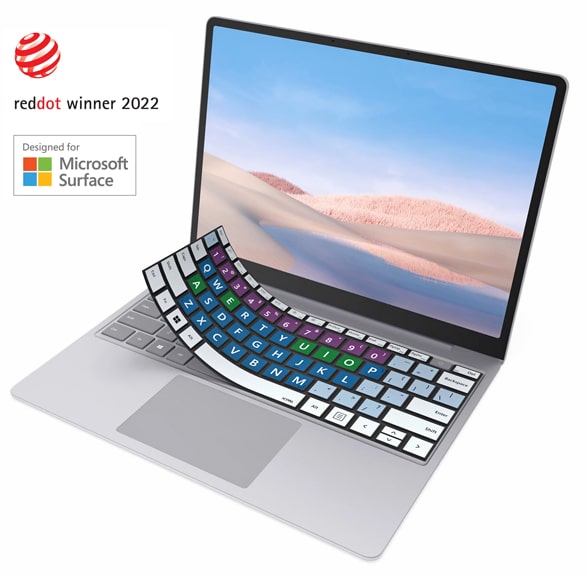
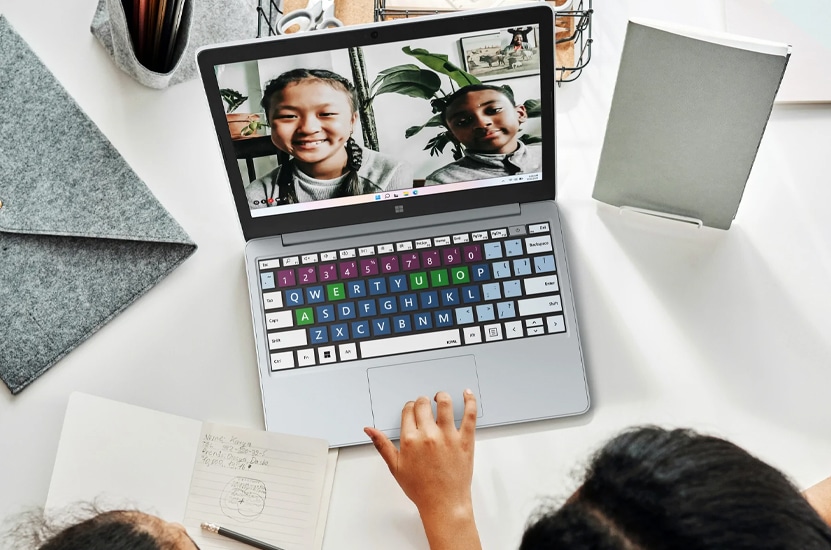
    JCPal, a Canadian technology accessories company, has introduced a new keyboard protector for dyslexic students. Designed in collaboration with the Microsoft Devices Accessibility Team initially for the Surface Laptop Go and Surface Laptop SE devices, the VerSkin Inclusive Keyboard Protector is intended to make it easier for dyslexic students to navigate and familiarize themselves with the keyboard on their device.

    The VerSkin is made with a black silicone material that sits snugly over the keyboard, protecting the device from dust and spills while adding a visual and tactile guide to the keys, making them easier to navigate. 

    Key features include:

    • Color-coded key zones differentiating consonant, vowel, number, symbol, and function key types
    • Large, bold, and high contrast key markings
    • Tactile L-shaped bumps marking the corners of the letter key area
    • Tactile dot bumps identifying Windows and Accessibility keys

    The goal is to make the consonants and vowels easier to differentiate by using two cooler colors (blue, green) and marking the number keys in a warmer hue (purple). This vivid, high-contrast area is differentiated from the function and symbol keys which have light backgrounds and dark key markings. The colors on the protector have been chosen to be both easily identifiable (and color-blindness friendly) but also muted enough that they’ll be comfortable to use in a classroom environment where many students prefer to blend in with their peers.

    Touch typing can be an essential and empowering skill for dyslexic students and the VerSkin features tactile bumps on the corners of the letter key area to help promote a consistent resting hand position and encourage the development of touch typing abilities.

    The VerSkin recently won a coveted Red Dot award for its innovative design and thanks to its low cost and simple but effective approach it’s the type of product we’d like to see more of to support dyslexic students.

    You can read more about this product here:

    https://jcpal.com/products/verskin-inclusive-keyboard-protector-for-surface-laptop-go

  • Lexilens, Overcoming Dyslexia

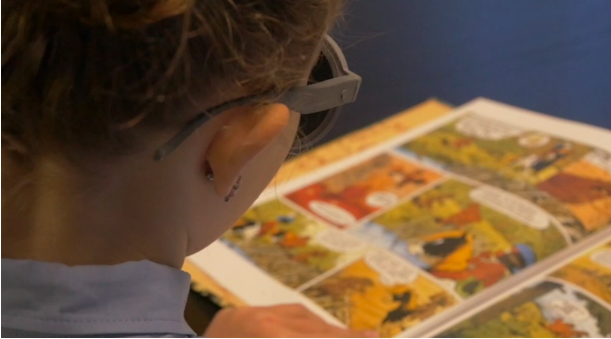
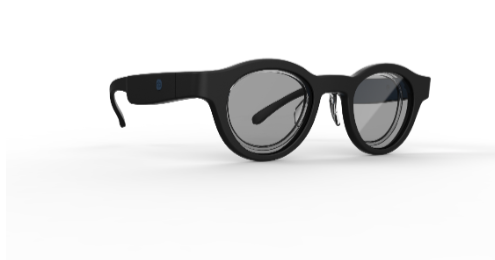
    Abeye, a French healthtech startup has developed Lexilens, a revolutionary reading aid for dyslexics.

    This new product is based on science and provides instantaneous effect to dyslexic readers. It was awarded several prizes among which the CES innovation award at Las Vegas in 2020 and Silmo Gold award (health & vision category). It will be launched in France soon after this summer and in Europe afterwards.

    Dyslexia is a reading disorder affecting 8 to 10% of population

    Dyslexia makes reading very difficult and is declared as a handicap by the World Health Organization. Children suffer the most from it as they must read a lot at school while they have not yet learned how to cope with this disorder by setting up alternative strategies to read.

    Dyslexia makes reading difficult and can lead to school failure, loss of self-confidence & potentially social isolation. It is a daily pain for the children and their family.

    Abeye develops smart eyewear for health and wellness

    Launched in 2018, the startup Abeye (abeye.tech) creates smart eyewear, eg standard looking eyewear that embeds electronics to provide health related services to the user. Abeye just released earlier this year a product called Spectalert which is a fall detection eyewear for seniors. Lexilens is their second product, developed with the same rules : simple, useful, elegant and affordable.

    Abeye is incubated by “Atol les opticiens”, a French optician retail network (800 shops in France). Abeye can therefore rely on Atol expertise to design eyewear that looks like….eyewear and that people will actually want to wear

    Lexilens is a revolutionary reading aid for dyslexics

    Lexilens is the result of a 2 year R&D effort done by Abeye in collaboration with the scientific academic laboratory who discovered in 2017 a potential cause of dyslexia.

    These French scientists showed a link between the eyes, the brain and dyslexia: In the image processing center of the brain, every single human at some point creates a mirror image of what they are seeing. Think of looking in the mirror when letters seem backward. In a person with dyslexia, the incomplete decoding in the brain of the mirror image can result in overlays or omissions. For non-dyslexics two eyes are asymmetric which means not exactly alike. And this asymmetry gives clues to the brain in selecting which image to pick.For dyslexic people, they have two eyes that are too perfect. So the brain cannot tell the difference and can mix the two mirror images.

    Lexilens can filter mirror images with its electronic lenses and reading is easier for the dyslexic wearer.

    After several versions, a real life test was conducted with several testers. The results are unprecedented. The children’s parents testimony are extremely promising as some children can read up to twice as fast with Lexilens. For many testers, reading is faster and easier, memorization is increased and academic results improved, increasing social confidence.

    Lexilens effect is instantaneous (no training required), universal (does not depend on the age, gender or native language). The spectacular effects of Lexilens have been since confirmed for adults and children from a broad range of countries. A formal clinical trial is under way to generate scientific data to measure the improvement rate.

    A non stigmatizing device

    Abeye has been working on improving the design of Lexilens so it can be worn at school without stigmatization. Lexilens will be available in two sizes : children & adults. Lexilens is compatible with all prescription lenses for an increased reading comfort.

    Lexilens will be available for preorder in the coming months (in Atol shops in France and online (abeye.tech) for the rest of Europe). Abeye is currently in discussion with distribution partners to support its global expansion.

  • GHOTIT Can Help Kids With Dyslexia, Dysgraphia, Spelling

    Dyslexia Spelling = Phonetic Spelling + Creative Spelling

    What is Phonetic Spelling?

    When you’re dictating a word and tell your son or daughter that he should write what he hears, your child will attempt to map the sounds in the words to the sounds of the letters.
    However, English is not a phonetic language. There are a very large number of English words where there is a gap between how the word sounds and how the word is actually spelled. Not to mention, there are many times multiple correct phonetic options to a given sound (for example: k , c, ck, and qu – all sound about the same)…

    What is creative spelling?

    Given that English spelling is not phonetic, and each sound may have several spelling options, a lot of correct English spelling is dependent on the visual memory of a written word. If you have good visual memory of words, you will be able to spell a word correctly simply by writing it down, and from memory deciding if this is the correct spelling.

    But kids with dyslexia and dysgraphia have very poor and inconsistent visual memory of spelled words, and therefore, can hardly rely on their visual memory of words…. Not to mention that children with dyslexia or dysgraphia sometimes confuse the direction of letters, and though they meant to write the letter “b” actually end up writing the letter “d”…

    A child’s Creative Spelling refers to the spelling of a child that has no idea of how to spell correctly certain syllables of a word, and therefore, creatively makes them up as he writes. And each time he/she “creates” a word’s spelling, it usually ends up as a different spelling creation.

    Can a regular spell checker correct dyslexia spelling?

    English is not a phonetic language, and therefore the “creative spelling” of a child with dyslexia or dysgraphia must be taken into account in order for a spell checker to provide value for a dyslexic child. However the “creative” spelling of such a child is basically “noise” and therefore any computerized program, such as a regular spell checker, that tries to correct a single word at a time (and not based on the context of the sentence) is doomed to fail… That is why Microsoft spell checker many times simply fails to correct a heavily misspelled word written by a dyslexic… and the reason why dyslexic children require…

    Continue reading here: https://www.ghotit.com/ghotit-for-kids

  • SuperReading Course for Dyslexic Readers by Ron Cole

    SuperReading Course for Dyslexic Readers by Ron Cole

    The SuperReading course is the most powerful, life-changing experience for dyslexic readers. This program takes a revolutionary approach to solving the issues around dyslexia, which have stubbornly eluded effective resolution since the 1870s. Ironically, the course was not developed with dyslexics in mind at all. It was created to help engineers, developers, and hi-tech managers cope with the overwhelming amount of technical information and reports they had to read. The problem to be solved was processing a lot of information quickly and accurately, with excellent recall.

    Traditional “speed reading” proved inadequate to the task. After about 350 words per minute (wpm), comprehension becomes ineffective. Why? Reading involves our internal voice, known as “sub-vocalization.” After 300 to 350 wpm, most people can no longer process the words and hit the “Sub-vocalization Barrier” like a brick wall. What was needed was a way around the processing of one word at a time. In 1994, I heard that it would be beneficial if we could read “more than one word at a time.” I tried to do this but found it quite frustrating, and volunteers agreed. Deciding which words to include each time was distracting from the meaning of the words. Multitasking was not the answer!

    Eventually, after trying to separate the words with spaces, tabs, and a variety of other ideas, there was only one thing left, though it went against my nature. The answer was to take the decision-making out of the formula. The words must already be in groups and the groups separated from one another. The penultimate step was to arrange them in columns where the reader would “hop” from one group to the next, first across to the right and then down to the left, then across- like how you’re reading now. The hopping was necessary to “define” each word group as a single thought or experience. We start with 2 words per hop, then 3, then 4, and finally 5 to 8 words in a single fixation or glance. Always putting comprehension first, the reader now understands the text, but without sub-vocalizing the words! There are simply too many words to pronounce them all in that little time. The Sub-vocalization Barrier was broken. Voila!

    The ultimate step was to have people adapt this motion into “Pattern Reading,” moving down the page in an S-like pattern. The back-and-forth motion of Eye-Hopping subtly trains people to be able to read backwards, at least up to about 6 or 7 words across. It’s been compared to the “wax on, wax off” reference in The Karate Kid movie. This begins to occur in the 4-word and 5-word Eye-Hop, as sub-vocalization is diminished. The reader is now able to pivot their eyes down the page, effectively “scooping up” the words as they go. At these high speeds, the brain is fully “engaged with the page,” and we see increased focus, understanding, and retention. There is no time for mental drifting, and “unconscious regression” is all but eliminated (the eyes skipping around the page). The result is highly focused attention to the meaning with high comprehension and accurate recall. The problems associated with dyslexia disappear, and the reading experience is superior to that of non-dyslexics. VOILA!!

    The reading strategies in SuperReading cater to “big picture” learners, which describes most dyslexics, who need to “understand the whole” before attempting the sequences and details of information.  SuperReading facilitates this through effective self-understanding strategies.

    Most dyslexic people are visual thinkers. SuperReading builds on this by enabling the visual understanding of text at all levels: words, sentences, paragraphs, chapters, ideas, and the underlying visual structures of books. Visual strategies enhance memory retention through the use of a “memory room” tool and mapping tools. SuperReaders learn a non-linear approach to understanding what they read.

    Most dyslexic people are better at learning by doing, rather than through verbal instruction.  SuperReading enables this by requiring specific kinds of physical practice and the evaluation of progress through measuring reading speed, comprehension, and recall.

    Dyslexic readers learn more effectively when learning is directly linked to passionate interests.  SuperReading caters to this by giving free access to the Eye-Hop website, which produces practice materials for reading that are of high interest. Also, the Eye-Hop practice radically reduces or eliminates the effect of visual stress.

    The SuperReading course provides a wide range of skills and reading tools. The reader becomes more skilled with the tools each time they work with them and understands them more deeply, which suits holistic learners. The program relies on doing and evaluating progress, rather than on memorizing.

    As a coach, I understood the importance of a positive mental attitude (PMA). We use the power of positive emotion to generate interest and focus, especially when reading assignments are not of great interest or poorly written (boring). We also cover the crucial area of positive self-talk. How we talk to ourselves internally is one of the greatest determinants of whether we are successful or not in whatever we do. Most people came to the SuperReading course because reading was a problem for them. Their belief was that they were slow, poor readers who were not as good as others. They came with low self-esteem. I realized early on that this belief system was holding many of them back from allowing the tools to be totally effective. Some were self-sabotaging and their progress was being artificially hampered. Using the power of positive affirmation, they could now be on a more stable track to reading success. It helped them not only with their reading abilities, it helped them gain ground in all areas of their life.

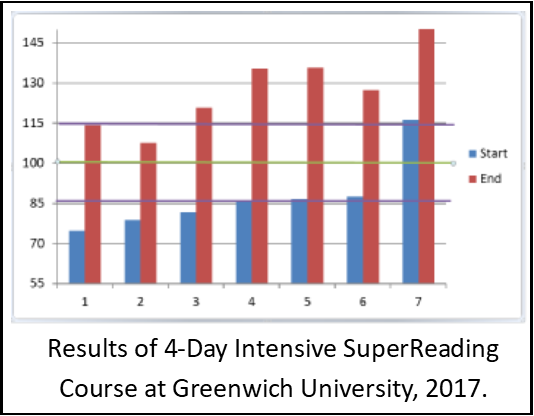
    In short, SuperReading builds on typical dyslexic strengths: holistic and visual thinking. It avoids the humiliation of the correcting of perceived ‘deficits.’ It’s worth mentioning that the eye-hopping practice also happens to provide better synchronized control over saccades- the rapid movement of the eye between fixation points. Dyslexic readers become effective through activity rather than instruction. Everything about the program fosters the best of what works for dyslexics while not requiring anything that does not work for dyslexics (or for ADD and ADHD). Every test and measurement associated with reading skills verifies the validity of the SuperReading Program, and no assessment has ever measured a negative or neutral outcome. The outcome is that the dyslexic reader gains skill levels beyond those of non-dyslexic readers in a matter of weeks.

    Testimonials, university studies and purchase options can be viewed at www.superreading.com

    by Ron Cole

    SuperReading Course: Dyslexia is Done!